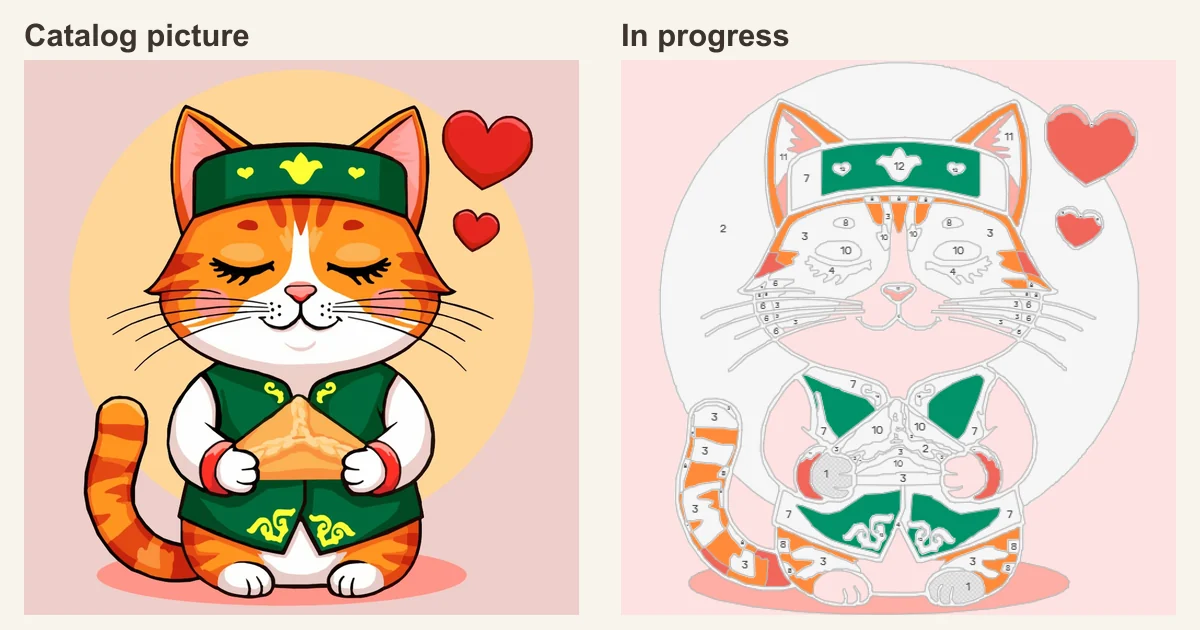
iFutureArt began with a practical question and an idea: if someone enjoyed coloring a paint-by-numbers picture on a screen, would they then want to pick up a real brush and paint the same designs in the physical world?
The FIX group already had a growing project making its own paint-by-numbers kits. There were designs, with their numbered regions already worked out, palettes, canvases, and a team that knew how to turn an illustration into a finished kit. All the new idea needed was a small digital experiment. That became a Telegram mini app.
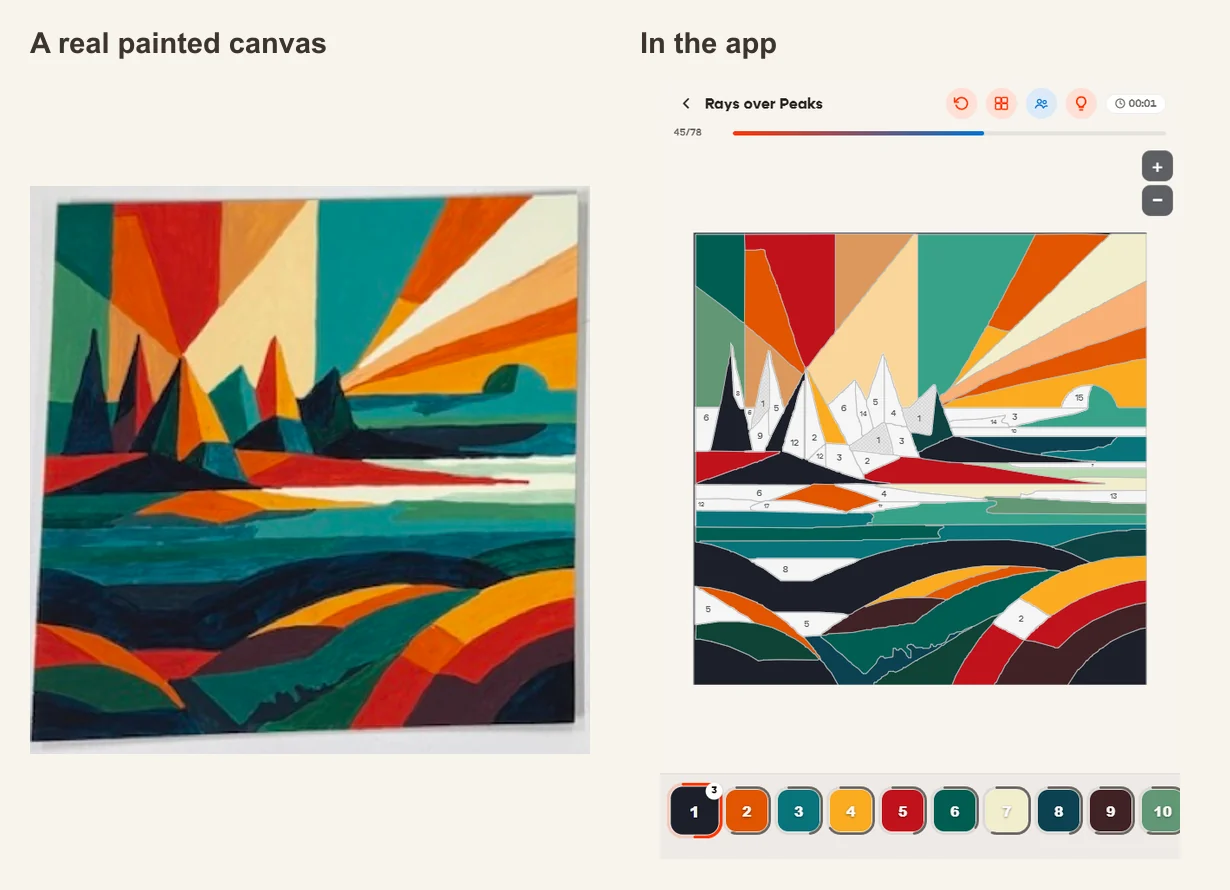
As the creator remembers it, the first working version took about an hour, helped along by Claude Code and designs that were already genuinely good: each had been tested as a real, physical paint-by-numbers layout. Then came the familiar impulse of anyone caught up in a project: “What if we added this, too?” The ambition was to make more than an app: the best paint-by-numbers experience in the world. And then came the question that would shape iFutureArt: why should coloring be something you do alone?
When one brush isn't enough
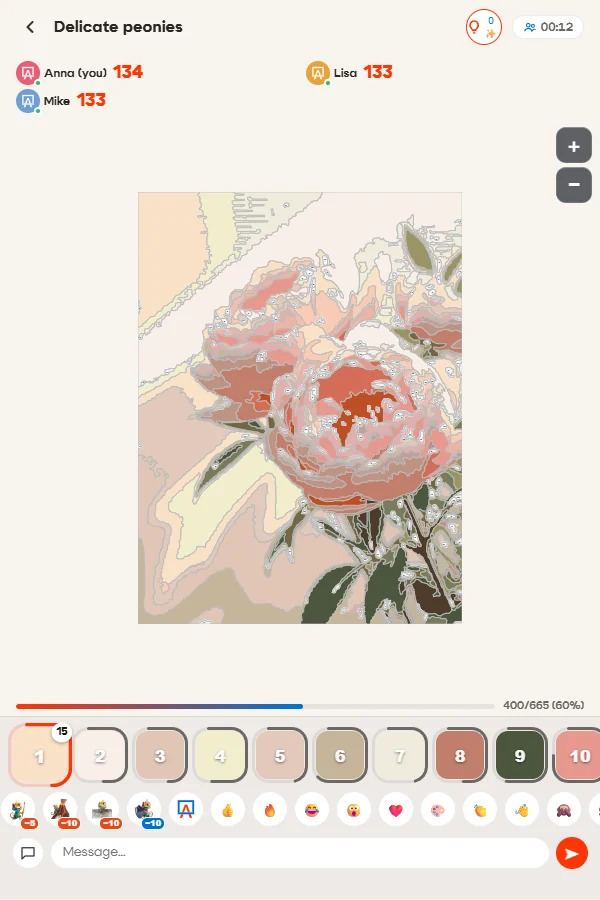
Coloring together was first designed for two people, then four. But a bigger group gathered over a weekend, and it became clear that there needed to be room for everyone. That is how the mode for up to ten people online on one paint-by-numbers picture came about.
It feels a little like an evening around a big table. Someone takes the sky, someone patiently fills in the tiny details, someone sends a reaction in the chat. Everyone sees the shared canvas come to life. You can invite friends or family, even if you are in different cities.
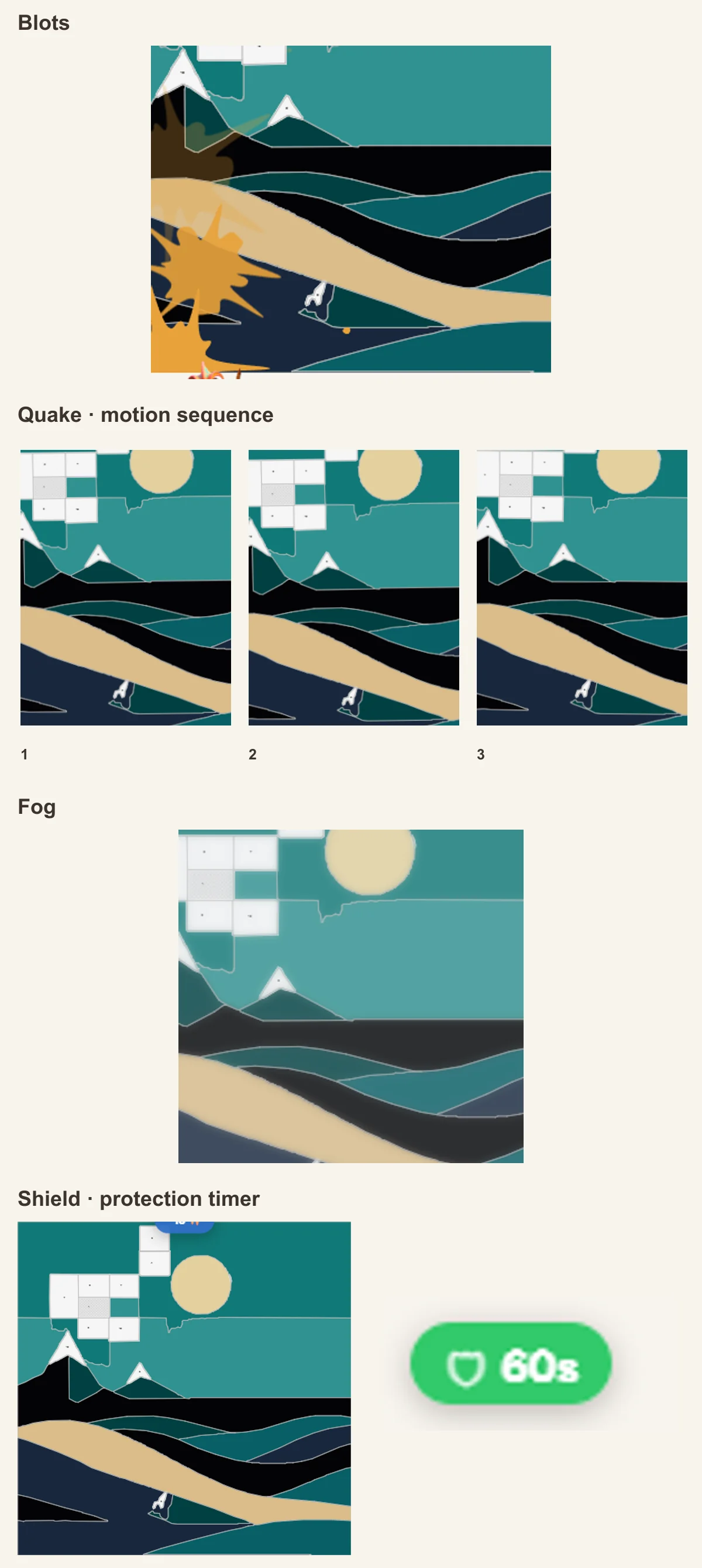
Coloring together has a mischievous side, too. You can spend points on a little playful sabotage: cover part of someone else's picture with ink blots for a few seconds, shake their screen with an “earthquake,” or send in some fog. A shield protects against those tricks. The effects are temporary and leave already colored regions intact: just a way to tease each other while you work together.
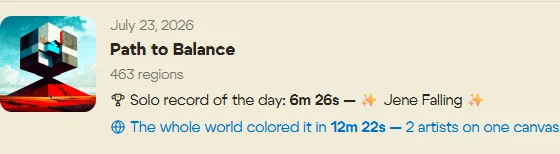
The next step was a global room for the daily picture. There is no need to organize a group in advance: drop in and join whoever else feels like a little coloring. You can work on the shared picture while at least two participants are online. You don't have to introduce yourselves: you already have something to do together, and shared coloring turned out to be wonderfully absorbing. At first, there was just one daily picture: once it was finished, everyone had to wait for the next one. For several days in a row, people finished the global picture in the first hours after midnight. So the team decided to restart the daily picture so others could color it too. Not everyone wants to paint in the middle of the night.
The design changes every day, and the results stay in the history. You can see today's work, the calendar, and the records on the Daily Picture page. That small daily ritual sparked the idea of a global app spanning different platforms: one canvas could bring together people who might otherwise never meet.
From a mini app to four platforms
Little by little, iFutureArt grew beyond Telegram. Today, you can color in the Android and iOS apps, in Telegram, or in a regular browser. Four ways into the same story: choose whichever suits you.
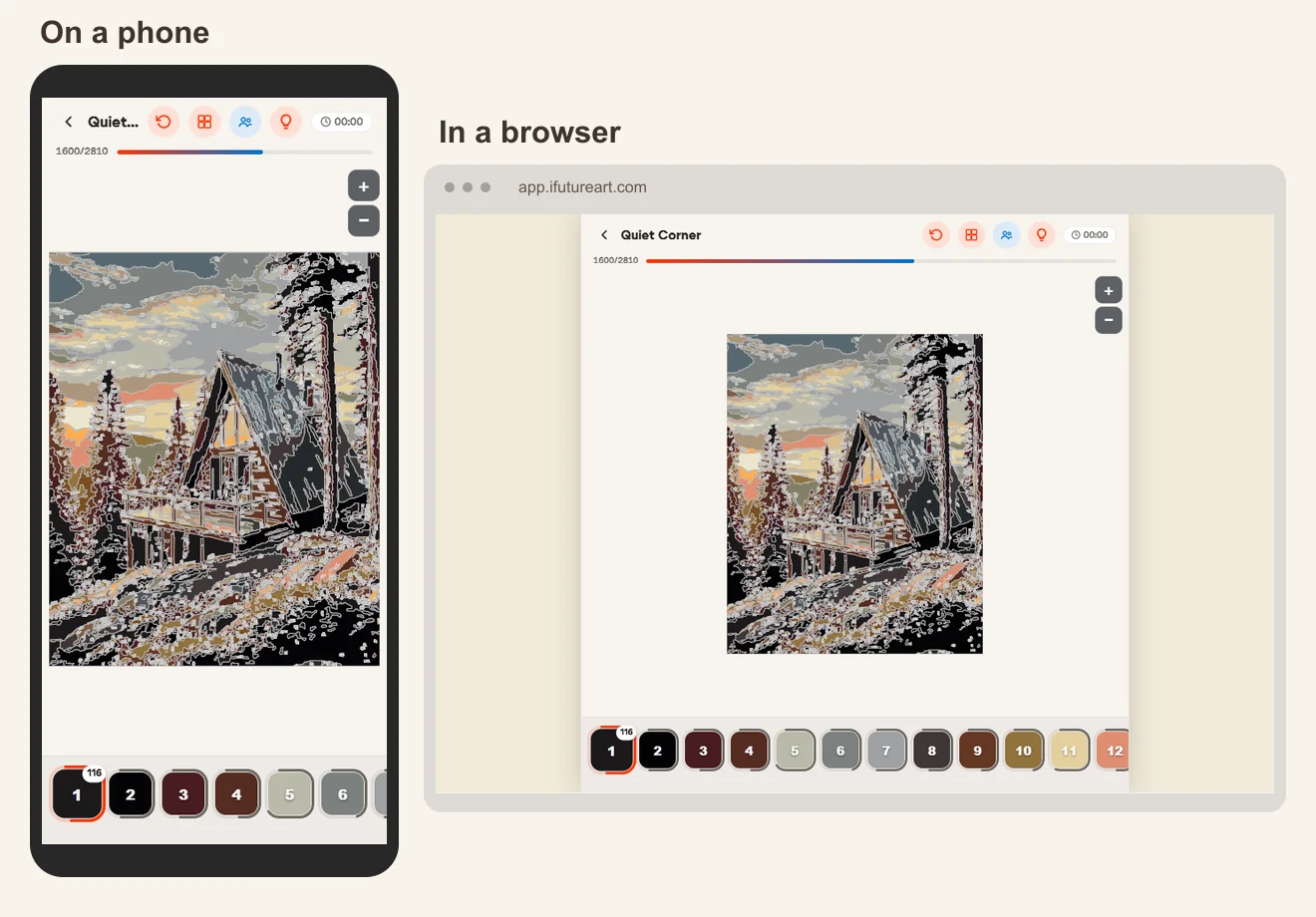
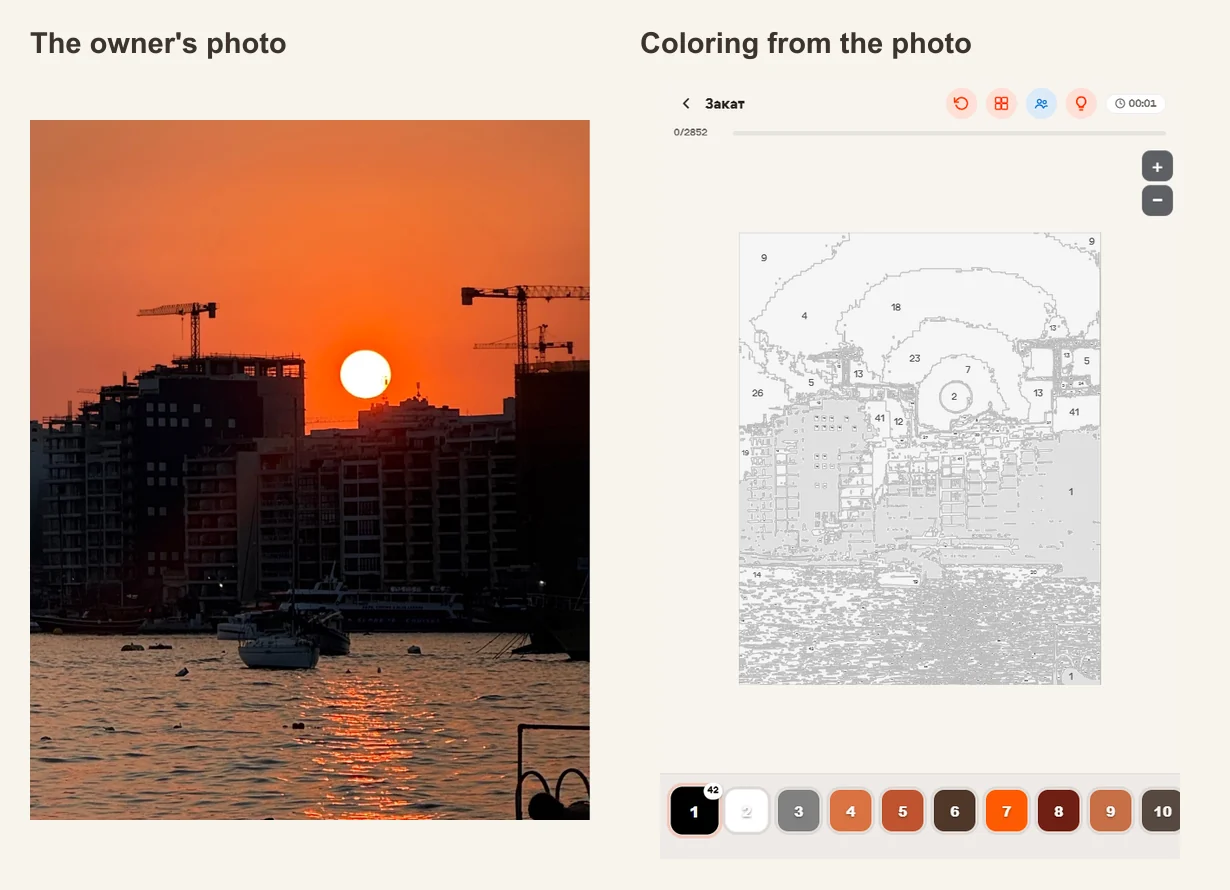
The mobile apps gained a solo offline mode. Download a picture in advance, and you can keep going on a trip, on a plane, or wherever the internet decides to take a break before you do. And for anyone wanting something entirely their own, iFutureArt added turning a photo into a coloring picture: a favorite pet, a family snapshot, a place you would love to visit again.
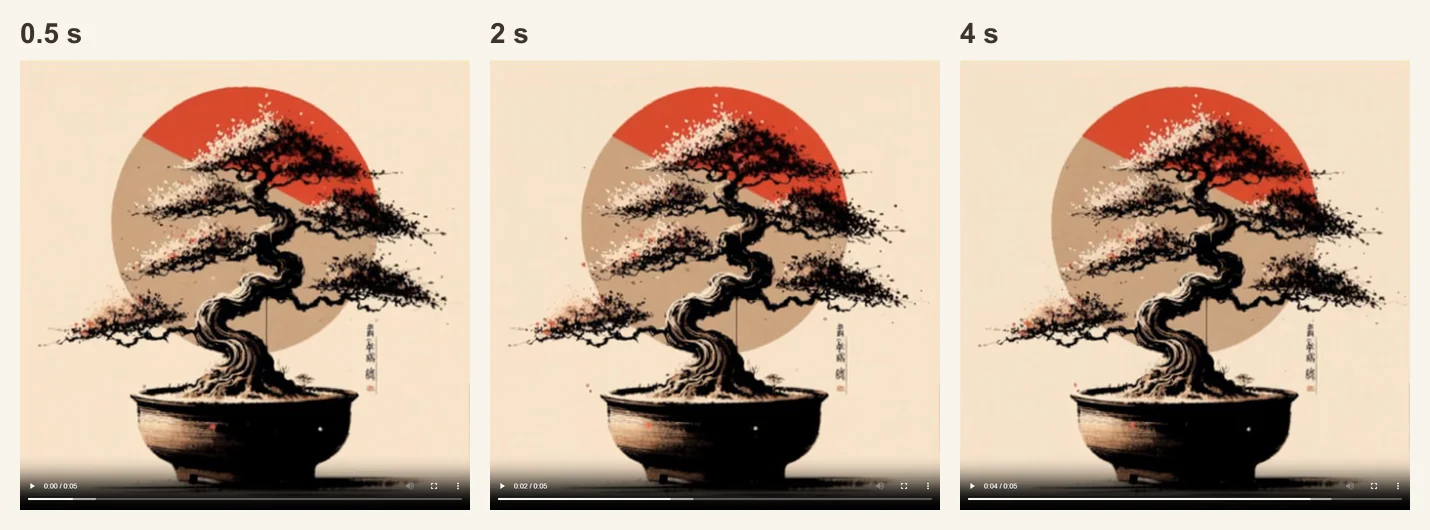
Another iFutureArt feature lets you bring a picture to life with AI. A familiar scene takes an unexpected turn: sometimes artificial intelligence interprets it in a very unusual way. It becomes another small experiment. Finishing the work is only part of the fun; you also get to see how AI “sees” it.
Accounts were a challenge of their own. Someone might start in Telegram, then install the app and sign in with Apple or Google. They want to carry on with their picture, not work out where their achievements went. So iFutureArt lets you link different sign-in methods and merge accounts. Points are added together and achievements carried over; if the same picture has been started in both accounts, the more advanced version is kept.
The app developed a personality of its own, too. Hammy the chameleon welcomes artists, offers guidance, and brings a little silliness to the serious work of making a product.
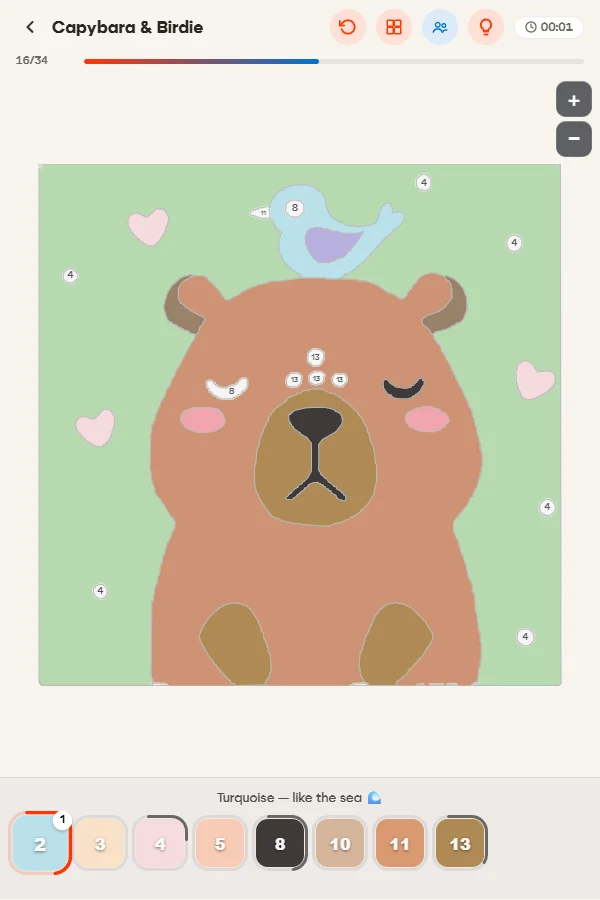
In kids mode, Hammy helps children get comfortable with coloring and explains the steps in simple, kind words. Along the way, there are short facts about the picture's subject and color names with familiar associations, such as “burgundy, like a cherry.” You can color alongside your child or have the whole family join the same picture.
Art quotes live alongside the pictures. The creator recalls asking AI, early in development, to find a thousand sayings in each language. It eventually admitted that there weren't enough good ones: beyond a certain point, it would be making them up. They stopped at 300. A good moment to say: fewer is fine, as long as they have something to say.
Vibe coding: excitement, experience, and a stubborn zoom
iFutureArt grew out of a small experiment in vibe coding: developing software through conversation with AI. The creator described what he wanted, discussed possible solutions with the assistant, tried the result, and came back with feedback. An idea could be tested on screen straight away, and by evening you could be coloring with friends.
But behind that speed were the founder's own expertise, his understanding of the product, and the production team's groundwork. You need to understand what people want, notice awkward moments, and tell a working solution from a convincing answer. Code alone cannot guarantee any of that.
One of the most memorable episodes involved zooming in on a picture on iOS. After zooming, taps landed in the wrong places; colors and regions got mixed up. For a long time, the AI failed to understand the problem and even suggested that the user was simply missing the target. Surprisingly, something that seemed so basic proved the hardest thing for AI to get right. Eventually, the creator asked it to “call in an iOS developer.” In his telling, that was the turning point that finally moved the conversation toward a fix. The phrase became part of the project's story.
There were other kinds of adventures, too. One was the search for a push notification key in the company's Apple account: the app was almost ready, but nobody could find the key it needed. Sorting out access and issuing a new one became a separate job. Between the idea and the “Install” button lay store screenshots, forms, reviews, and lots of little fixes.
That is why we want to tell this story honestly. The first prototype really did arrive quickly. Turning it into an app people would enjoy coming back to took much more care. AI helped things move faster, but a person still had to check, choose, and take responsibility for the result.
A passion project that found its own artists
As of 22 October 2026 at 17:18:14 Moscow time, the iFutureArt database held 4,009 registered accounts, including guests. Activity was recorded for 134 accounts in the preceding 24 hours and 1,070 in the preceding 30 days. There had been 364 successful photo-to-coloring creations. These figures describe records and activity in the app; they are not installation counts or counts of unique people.
Behind each picture is someone's choice: to spend an evening with friends, color a photo of their cat, or simply take a short break from everything else. Those small moments are what make us want to keep going.
You can also meet the creator in the app as vibe-coder. Sometimes he drops in to check the latest change. Sometimes he simply colors with the rest of the world. Perhaps that best explains how a small experiment became a passion project.
The connection to real canvases has never gone away, and the experiment is still running. In the Russian-language version, links on pictures lead to kits on online marketplaces. In the snapshot taken on 22 October, the app's built-in counter had recorded 529 clicks through to kits on various online marketplaces since April, including 81 in the preceding 30 days. That is not every click: the counter does not yet capture them all. A retail website is also planned to open soon, where paint-by-numbers kits will be available directly from the manufacturer. The aim is to make it easier to buy any picture in the app's catalog as a kit, and easier to track purchases coming from the app. To make a meaningful difference to sales and judge the project's success with confidence, it needs more time and a wider audience. We hope for millions of installations, and we want to make iFutureArt the best paint-by-numbers app: with thoughtfully developed designs, our own manufacturing experience, and features worth coming back for.
What points are for
Earning points is simple: finish a picture and collect your reward. The more regions a picture has, the bigger its base reward. The daily picture, fast finishes and records, achievements, regular visits, and invited friends help you build up more. When coloring together, your reward depends on your contribution, and whoever colors the very last region gets another 5 points.
You can spend points on hints, turning your photos into coloring pictures, bringing pictures to life with AI, and timelapses: recordings of the canvas gradually filling with color. A hint costs 1 point in solo play and 2 when coloring together; an account's very first hint is free. If you need more help, there is a 15-minute unlimited-hints booster. Your first photo-to-coloring creation is free too; later ones cost 100 points each, with unlimited options for a month or forever. Points also come in handy for new Hammy colors, changing a quote, and using sabotage or a protective shield when coloring together.
The shop also has rewards beyond coloring itself, such as a physical paint-by-numbers kit with delivery or gold for Standoff 2. You can see the available offers in the app.
A little friendly competition
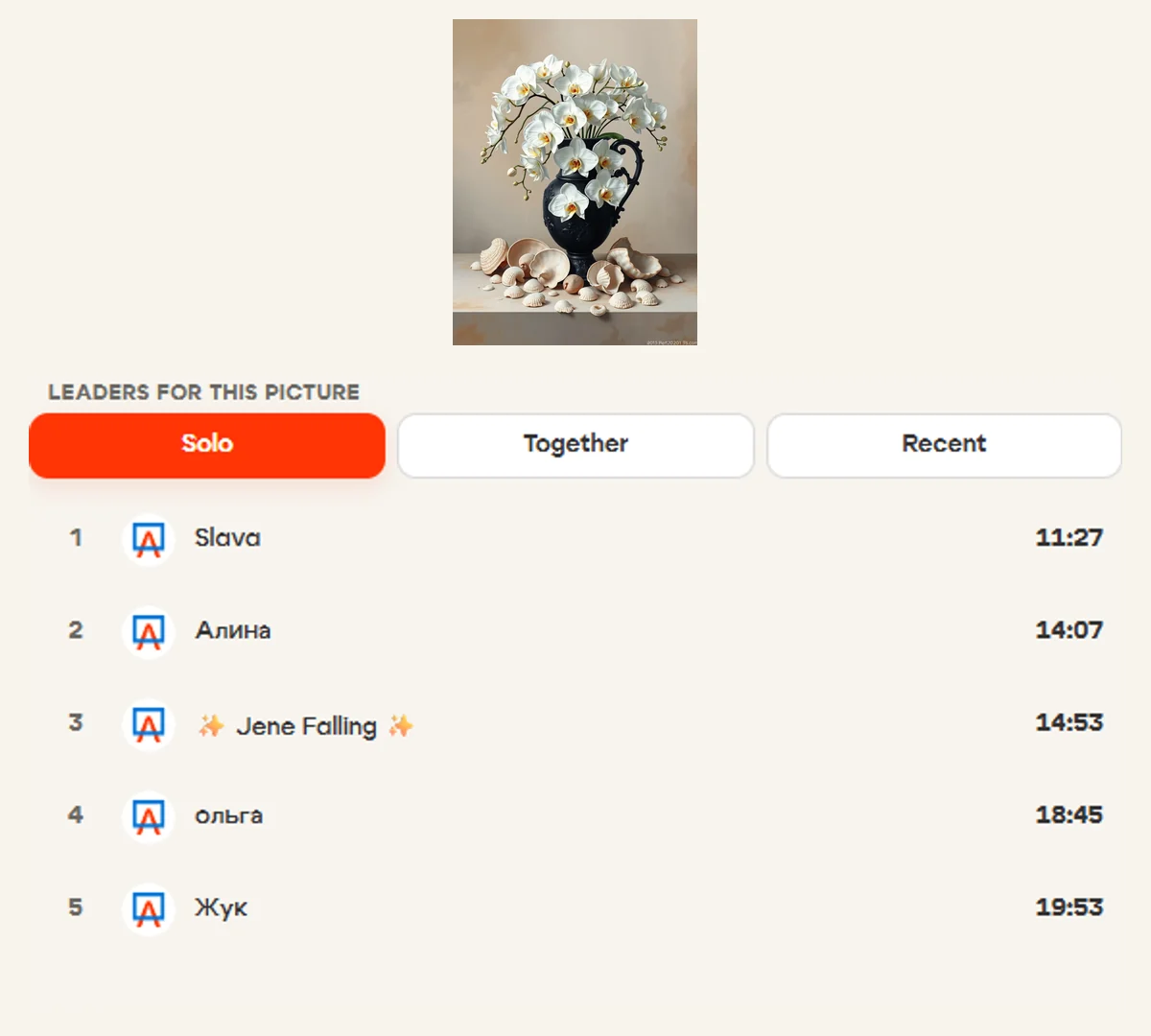
Each public picture's page has a “Records” tab with the five best solo times and the five best team times. The “Recent” tab shows the five most recent completions, mixing solo and team results. The daily picture separately shows today's fastest solo and team results. Setting a new all-time picture record earns 5 points; setting a daily picture record earns 10. Making the top five alone does not earn extra points.
And if you feel like setting a personal record on a real canvas, there are physical paint-by-numbers kits from the iFutureArt factory. Of course, you can paint without chasing records: at your own pace, with paint and a brush, to relax and take a break from everyday life. The digital experiment brings us back to a real painting you can hang on the wall or give to someone close to you. For companies, there is also the possibility of a holiday gift, a kit with your branding, or a shared creative project. You can discuss that through our business partnership page.
You can try iFutureArt on the App Store, Google Play, Telegram, or directly in your browser. Turn favorite photos into coloring pictures, invite friends to color together, and share your finished work and timelapses. We hope you find inspiration and enjoy creating. Perhaps we'll meet on a shared canvas.
Source of figures: the iFutureArt database, snapshot taken on 22 October 2026 at 17:18:14 Moscow time. Activity is based on each account's last request; photo-to-coloring creations count successfully completed generation jobs. Internal and test records were not separately excluded.