Standoff 2 coloring and free Gold giveaway for points
Our scenes from Standoff 2 are already familiar to iFutureArt artists: pictures inspired by the game have been Picture of the Day more than once. Now there is one more reason to meet over Standoff 2 coloring: twenty free pictures, a five-level medal and a Gold giveaway for points earned in our app. Free Gold here means no money changes hands: first you color and earn points, then exchange them for a personal promo code.
Try iFutureArt on the App Store or Google Play. Install the app, open the gallery and choose Standoff 2. A familiar picture is waiting.
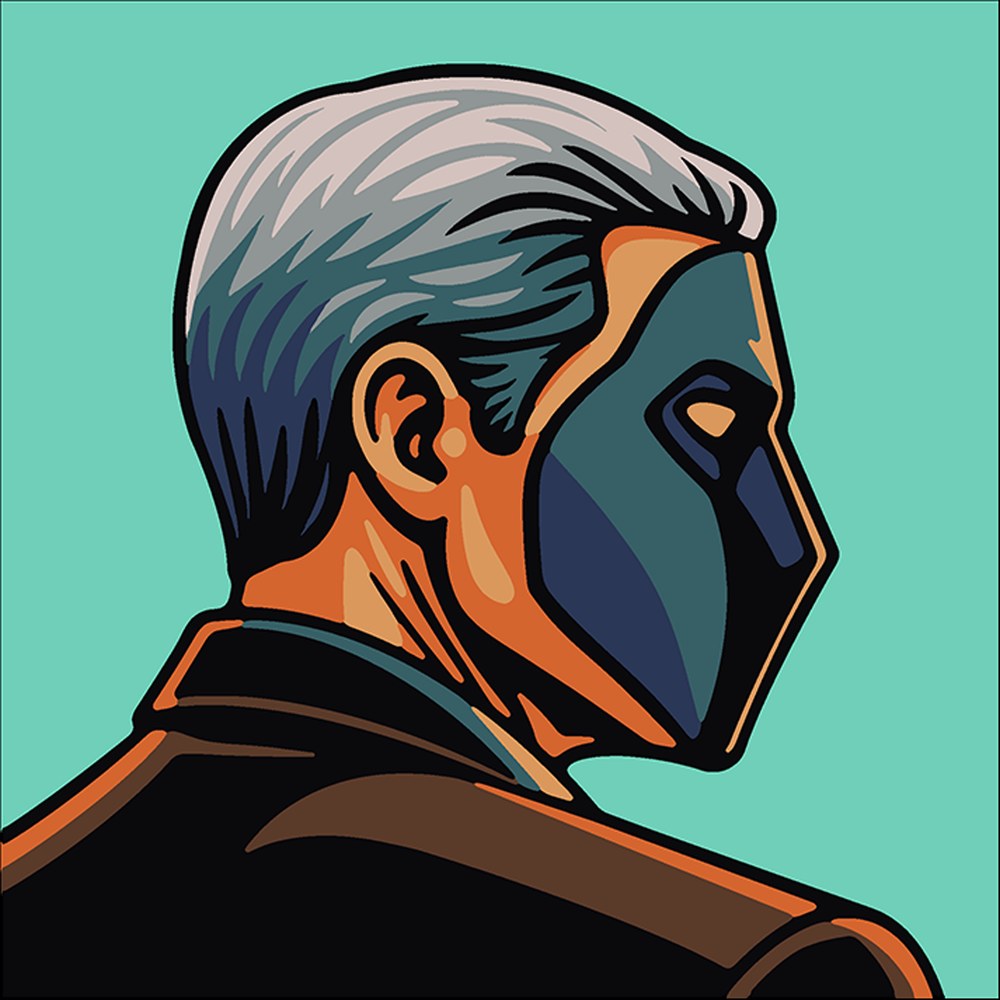
Beholder Standoff 2: 45 regions and 11 colors. A small picture makes a gentle beginning.
Twenty pictures, each with its own pace
Sometimes you want a change between matches. A familiar character is still on screen, but the next round has become a palette and a few empty shapes. Choose a color, find its number and tap the matching regions. The pale outline slowly becomes a finished picture. Zoom in to work through the small details; there is no need to hurry.
All twenty pictures in the Standoff 2 category are free. Some are short portraits; others can keep you company for an evening. Beholder Standoff 2 has just 45 regions, and Pirate Standoff 2 has 82. Battle for mid Standoff 2 has 1,096 — a little more to explore for anyone who enjoys detail.
A picture’s gallery page lets you look at the artwork, region count, difficulty and palette before you begin. There are little facts, a word from Hammy and results from other painters too. Beholder has eleven colors: even a small portrait has its own shades and details. The two Marco pictures have separate pages and different region counts; they are two works in the collection.

Pirate Standoff 2. Another short journey from the first numbered shapes to a finished portrait.
You can color together as well. Invite friends, share the large areas and the fiddly details, and watch a common canvas fill with color. Our guide to coloring together explains how it works. The Standoff 2 medal counts independent finishes, so collect those in solo mode. The next canvas can be a meeting with friends.
Standoff 2 has a Picture of the Day history
The collection’s story began before November. From May to October, eight Standoff 2 pictures were Picture of the Day. Their dates and results remain in the daily calendar. Here are all eight, as recorded on November 1, 2026:
- 23 May 2026 — Gambit Standoff 2: solo 4:42 — ✨ Jene Falling ✨; team 4:04 — ✨ Jene Falling ✨ and Slava, 2 painters.
- 26 May 2026 — Battle for mid Standoff 2: solo 16:21 — ✨ Jene Falling ✨; team 12:33 — ✨ Jene Falling ✨ and Slava, 2 painters.
- 27 May 2026 — Sting “Mimicry” Standoff 2: solo 0:07 — Slava; team 0:13 — ✨ Jene Falling ✨ and Slava, 2 painters.
- 8 June 2026 — Marco Standoff 2: solo 2:31 — ✨ Jene Falling ✨; team 7:39 — vibe-coder, Bulat and Maxmaxovich, 3 painters.
- 28 June 2026 — Marco Standoff 2: solo 2:49 — Slava; no team record.
- 1 July 2026 — F/S “Octopus” Standoff 2: solo 0:38 — Slava; no team record.
- 30 September 2026 — Beholder Standoff 2: solo 0:40 — Карина; team 0:33 — Artist5 and Lyudmila, 2 painters.
- 17 October 2026 — PixelStone Standoff 2: solo 6:27 — Карина; team 4:55 — Artist5 and Диана Уварова, 2 painters.
Beholder’s times are especially close: 40 seconds alone and a 33-second team record. That is a different scale from Battle for mid’s sixteen minutes. These pictures have different numbers of regions; treating them as the same race would miss the point. Choose a picture you like and see whether you can improve your own result.
These are the records of those particular days, not today's all-time top five. Where there is no team record, we say so; it does not mean a time of zero. In the calendar, each date shows the region count, the solo and team records and the result of the global session with the whole world, and links to the picture's gallery page.
How you earn points in iFutureArt
It begins with a finished picture. The base reward is one point for each complete hundred regions, with a minimum of three. Beholder’s 45 regions and Pirate’s 82 therefore each bring three base points; Battle for mid’s 1,096 bring ten. A speed bonus may add more, depending on difficulty and completion time.
Today’s Picture of the Day doubles the base reward on your first qualifying finish that Moscow day. You can color a favorite again and earn the usual reward for a new solo completion, but the daily doubling is not repeated. A new all-time picture record earns another 5 points; a daily record earns 10. Our speed and records page explains the different competitions.
Regular visits help too: the login streak bonus grows to seven points a day. Achievements and shared coloring provide other rewards; team earnings depend on your contribution. There is more in the story of iFutureArt. You do not have to turn a relaxing picture into a balance sheet. Finished work brings the next goal a little closer along the way.
A medal, from First step to Legend
The medal counts different Standoff 2 pictures finished independently starting October 30, 2026, Moscow time. Each of its five levels opens the next badge level and awards points:
- First step: one picture, 3 points.
- In the ranks: five different pictures, another 10 points.
- Veteran: ten, another 20 points.
- Full collection: all twenty, another 50 points.
- Legend: all twenty and a new speed record on one of them, another 100 points.
Level rewards add up to 183 points, separately from the normal coloring rewards. Repeating a favorite is useful practice, but it does not replace five different pictures. Open Achievements in the app to see your levels.
The medal has no end date: you can earn it after November 30 too. Levels already earned remain yours. Take the first step now, return for a fifth picture later, and save the full collection for a few longer evenings.
Standoff 2 free Gold: a giveaway for earned points
Gold is Standoff 2’s game currency; points belong to iFutureArt. A promo code connects them in our shop: save enough points, choose a denomination and receive a personal code for the game. No money is needed for this exchange. Earning the points takes time.
For the November event, we cut promo-code prices in half, only through November 30, 2026, inclusive, Moscow time (UTC+3):
- 100 Gold for 500 points instead of 1,000.
- 1,000 Gold for 4,000 points instead of 8,000.
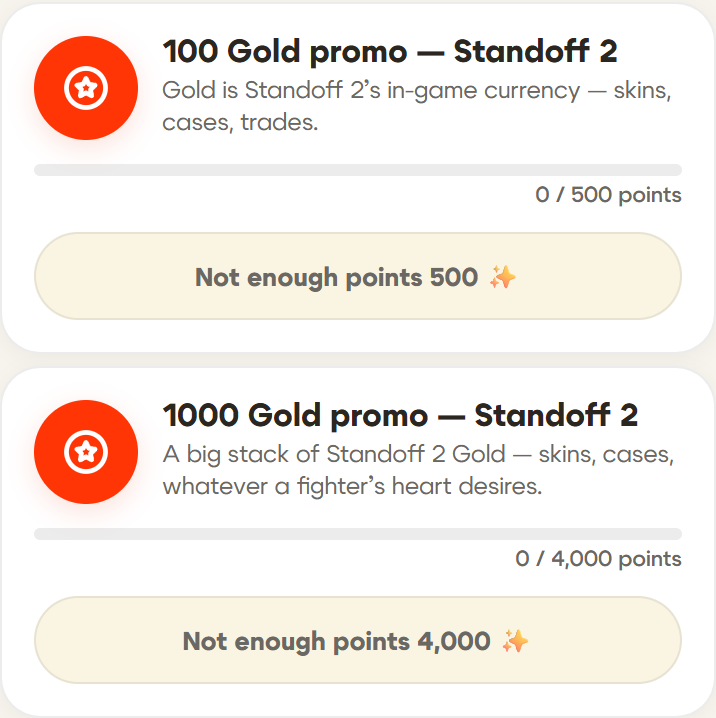
100 and 1,000 Gold in the iFutureArt shop. A copy of the real interface: server prices as of November 1, zero balance for illustration.
Codes are available while supplies last. Each account can receive each denomination once; an offer disappears when no unused codes remain. Check the current price and availability in the app before exchanging. The medal does not automatically issue a code, and finishing twenty pictures does not guarantee enough points for either denomination.
Receiving and activating your code
Open the iFutureArt shop, select 100 or 1,000 Gold, check the cost and confirm the exchange. If you have enough points and a code is available, the app deducts the points and shows your code and instructions. Copy it and keep it private: it remains valid until activation.
On a phone, use the official Standoff 2 store:
- Open the profile menu at the top right and sign in.
- Find your game account by its ID and check the profile before continuing to its store.
- Open the ticket icon in the bottom bar; on a computer, the promo-code section is at the top.
- Paste your code and apply it, then open Standoff 2 on that account to check the Gold.
The current in-game route is Events → Secret Code → enter the code → Apply. If that section is unavailable on your device, use the website. See the official Standoff 2 instructions for the current interface. Receiving a code in iFutureArt and activating it for your game account are two consecutive steps.
What happens after November
The discount ends on November 30. Regular prices are scheduled to return on December 1, 2026, at 00:05 Moscow time, or November 30 at 21:05 UTC: 1,000 points for 100 Gold and 8,000 for 1,000 Gold. The shop remains the place to check current conditions and stock.
A personal code already received does not turn into a pumpkin when the discount ends: the shop’s terms keep it valid until activation. The medal can still be earned. The App Store event, “Standoff 2 Medal in Coloring,” runs from November 1 at 00:00 to November 30, 2026, at 23:59 Moscow time. That is the store event’s period, separate from the medal and the codes.
By November 1, 2026, at 22:17 Moscow time, 14 people had independently finished pictures from the collection 54 times since counting began. One painter had already completed all twenty and reached level four. Everyone has their own route: a small portrait, another picture, perhaps another attempt at a record.
Our Halloween story had a little ghost boat and a lead decided by one second. This collection has familiar characters, eight daily-picture memories and another set worth putting together. Different pictures, and the same reason to meet for a little coloring.
Promo codes stay at half price through November 30. iFutureArt is on the App Store and Google Play: open Gallery → Standoff 2 → a picture you like. Begin with one color; the rest will follow.